Torque
Every bay, every unit, every part — the whole shop floor on one board.
A maintenance and work-order system for trucking fleets and their shops: a live shop board, work orders with labour and parts, preventive-maintenance schedules driven by odometer and engine hours, driver defect reports, parts inventory with reorder points, and cost analytics per unit.
- driver reports convert in one click
- Defect → WO
- driver reports convert in one click
- PM due from odometer & engine hours
- Live hours
- PM due from odometer & engine hours
- every job posted to its unit
- Cost per km
- every job posted to its unit
The brief
Fleet shops were running on a whiteboard, paper work orders and a parts spreadsheet. Drivers reported defects on paper pre-trip sheets, PM intervals were tracked by memory, and no one could say what a unit had actually cost to keep on the road — or why it spent last week waiting in the yard.
What we built
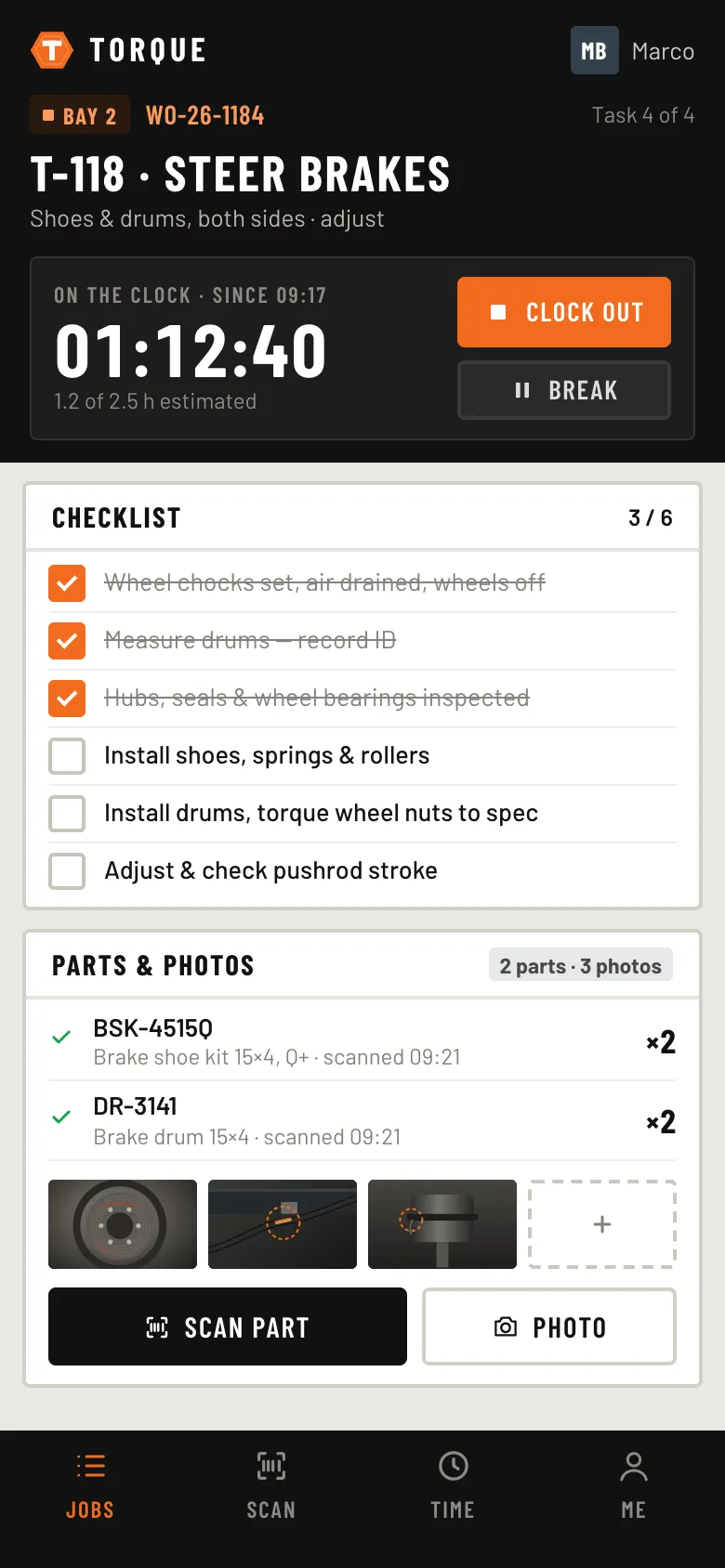
We built Torque around the work order. Driver defects become work orders in one click, technicians clock labour and scan parts from a phone at the bay, and every closed job posts its cost to the unit. Odometer and engine hours sync from telematics, so PM services come due on their own, and parts reorder suggestions turn into a purchase order without retyping.
Shop board
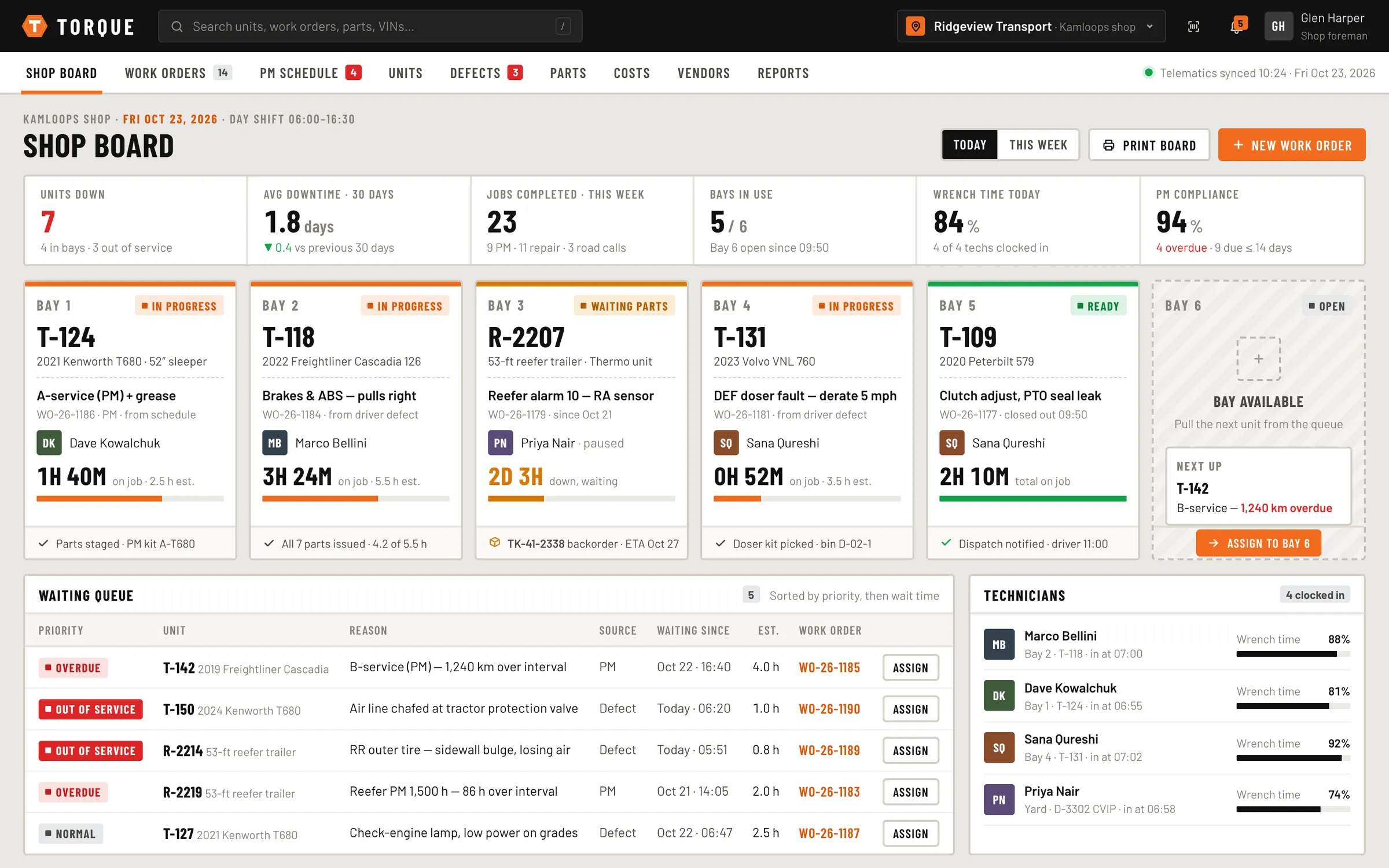
Every bay at a glance — unit, job, technician, time on job and parts status — with a prioritised waiting queue and out-of-service units flagged.
Work orders
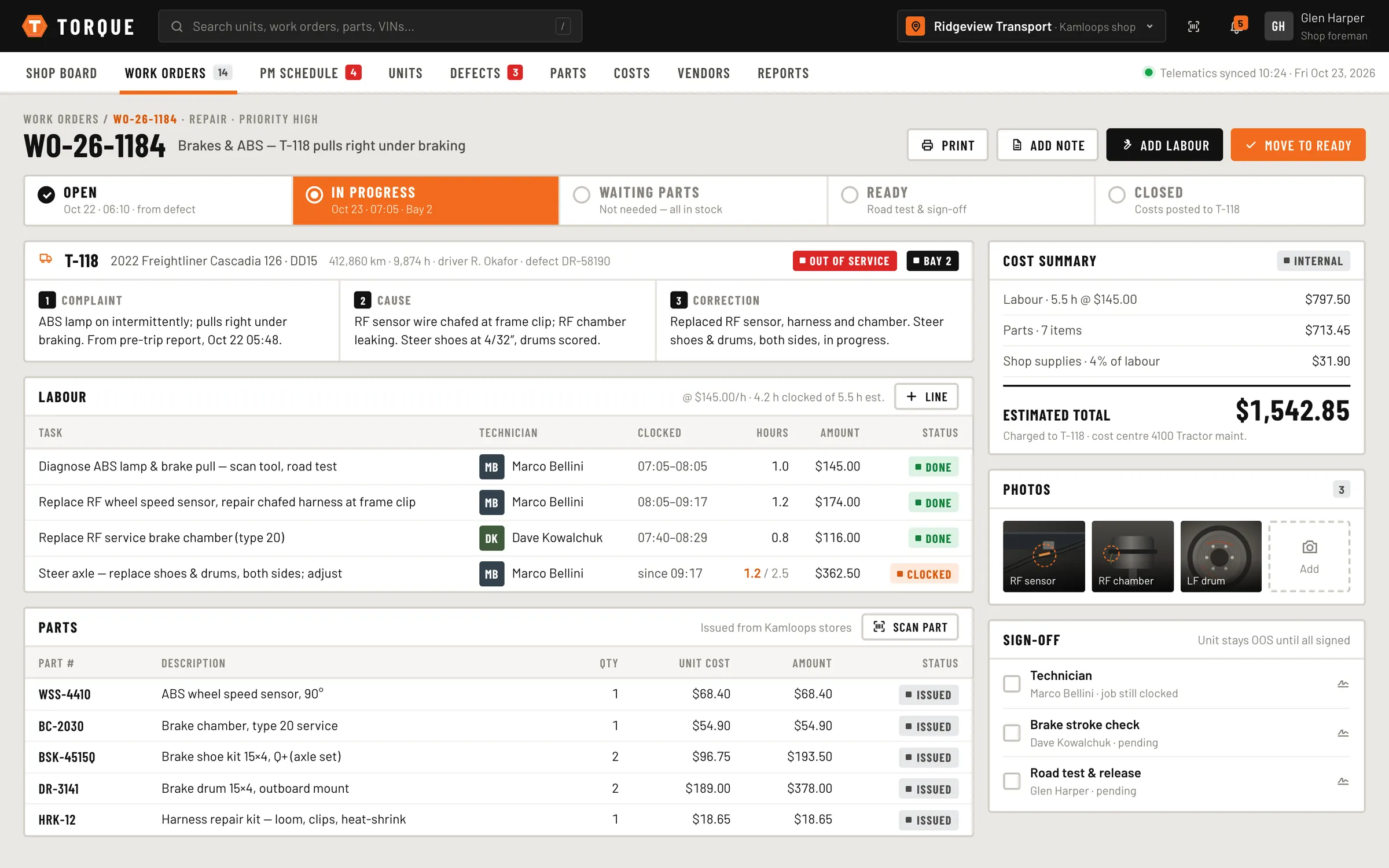
Complaint, cause and correction; labour lines clocked by technician; parts issued from stores; photos; multi-person sign-off; and a clear status from open to closed.
Preventive maintenance
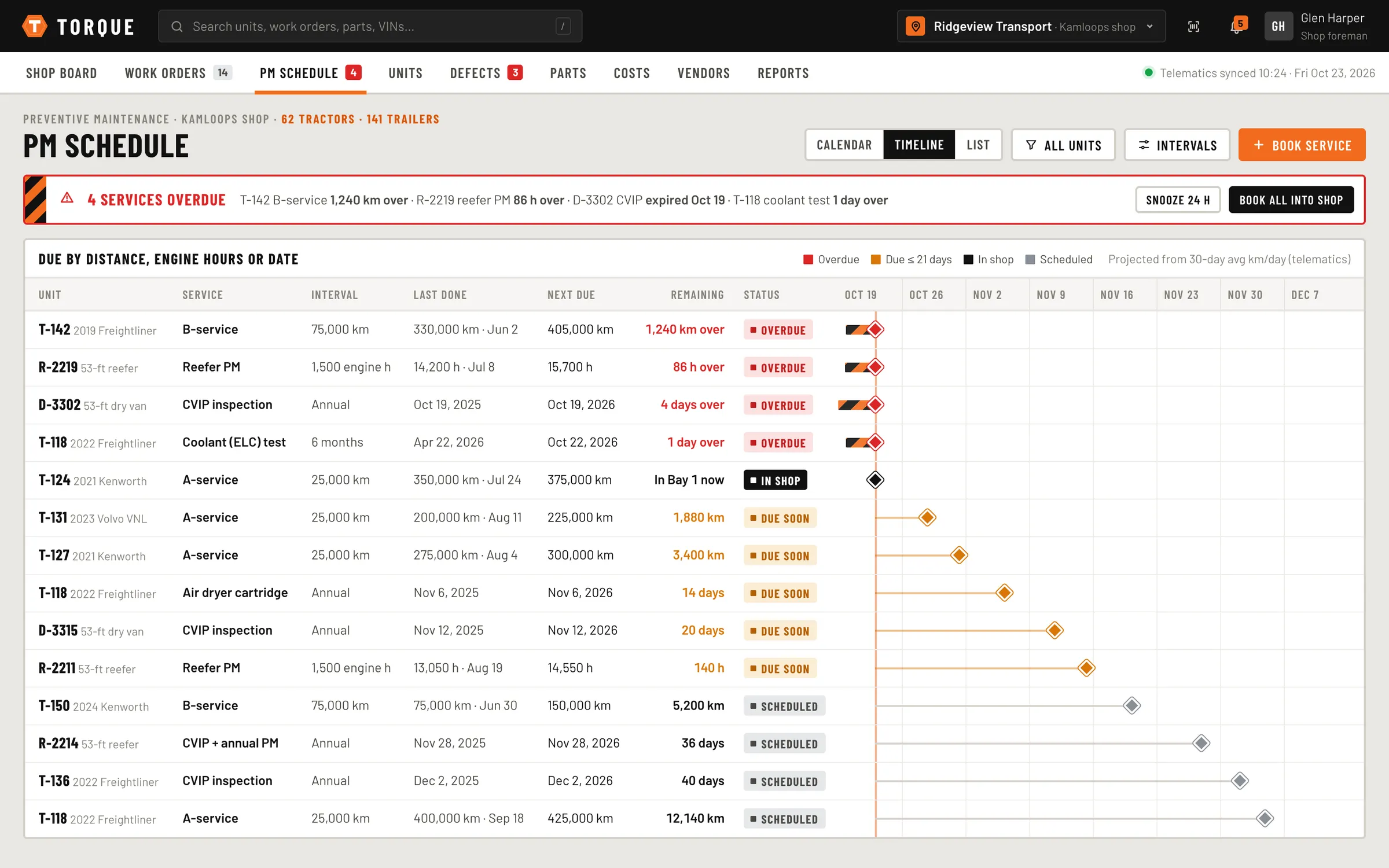
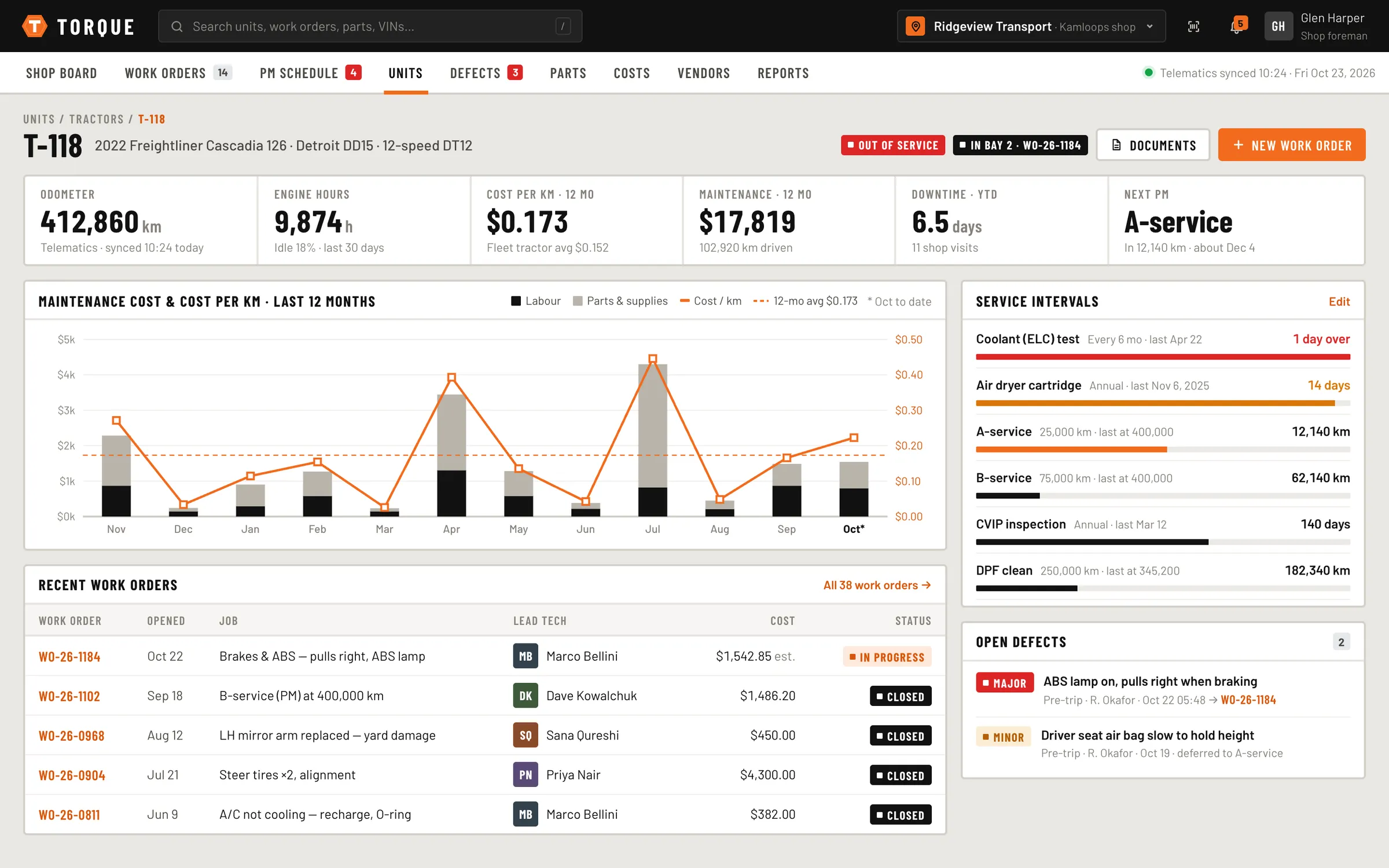
Service intervals by kilometres, engine hours or date, projected from telematics, with overdue and due-soon services surfaced before they cost a breakdown.
Driver defects
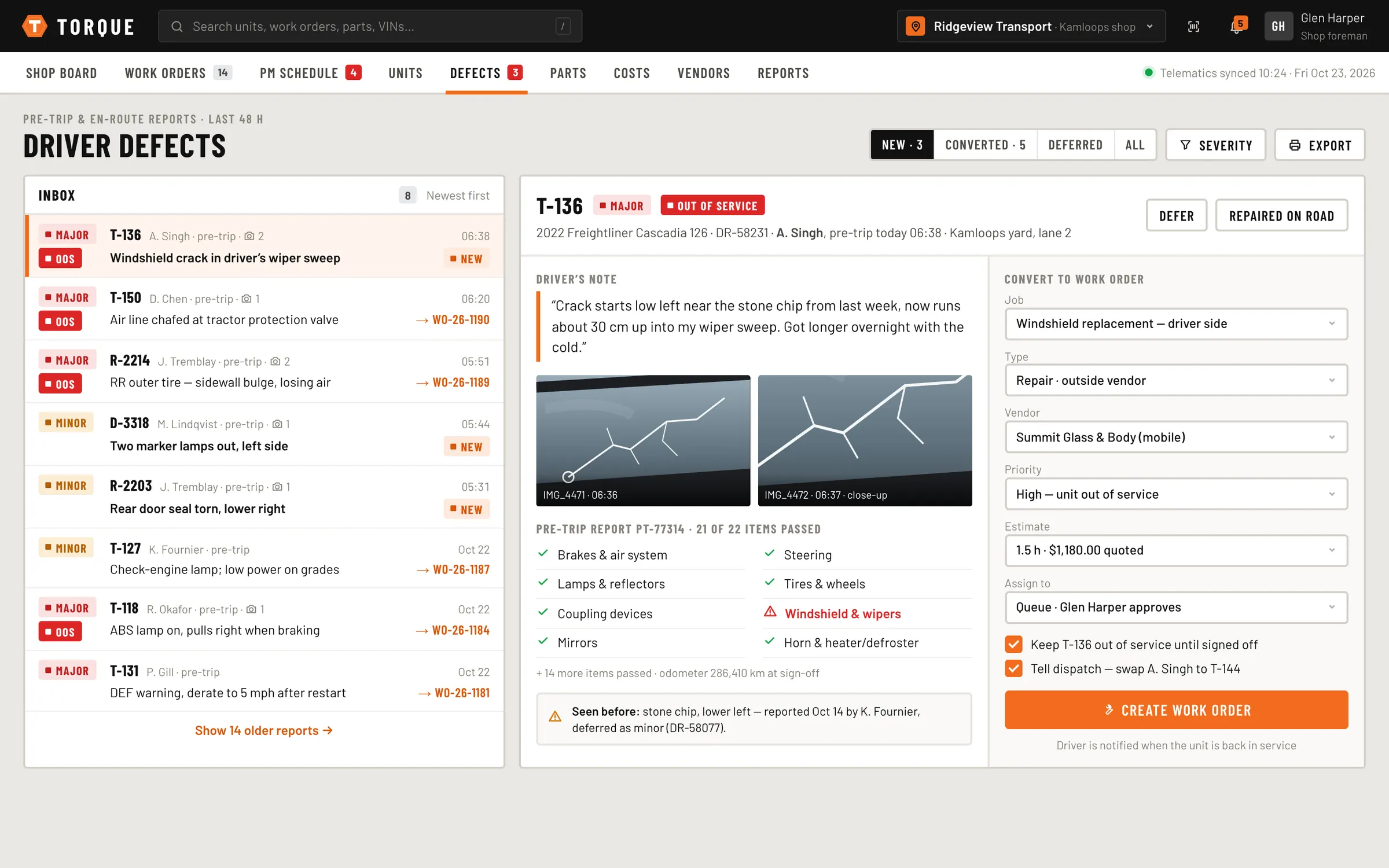
Pre-trip and en-route reports with severity, photos and out-of-service flags, reviewed in an inbox and converted to work orders with the vendor, priority and estimate set.
Parts & purchasing
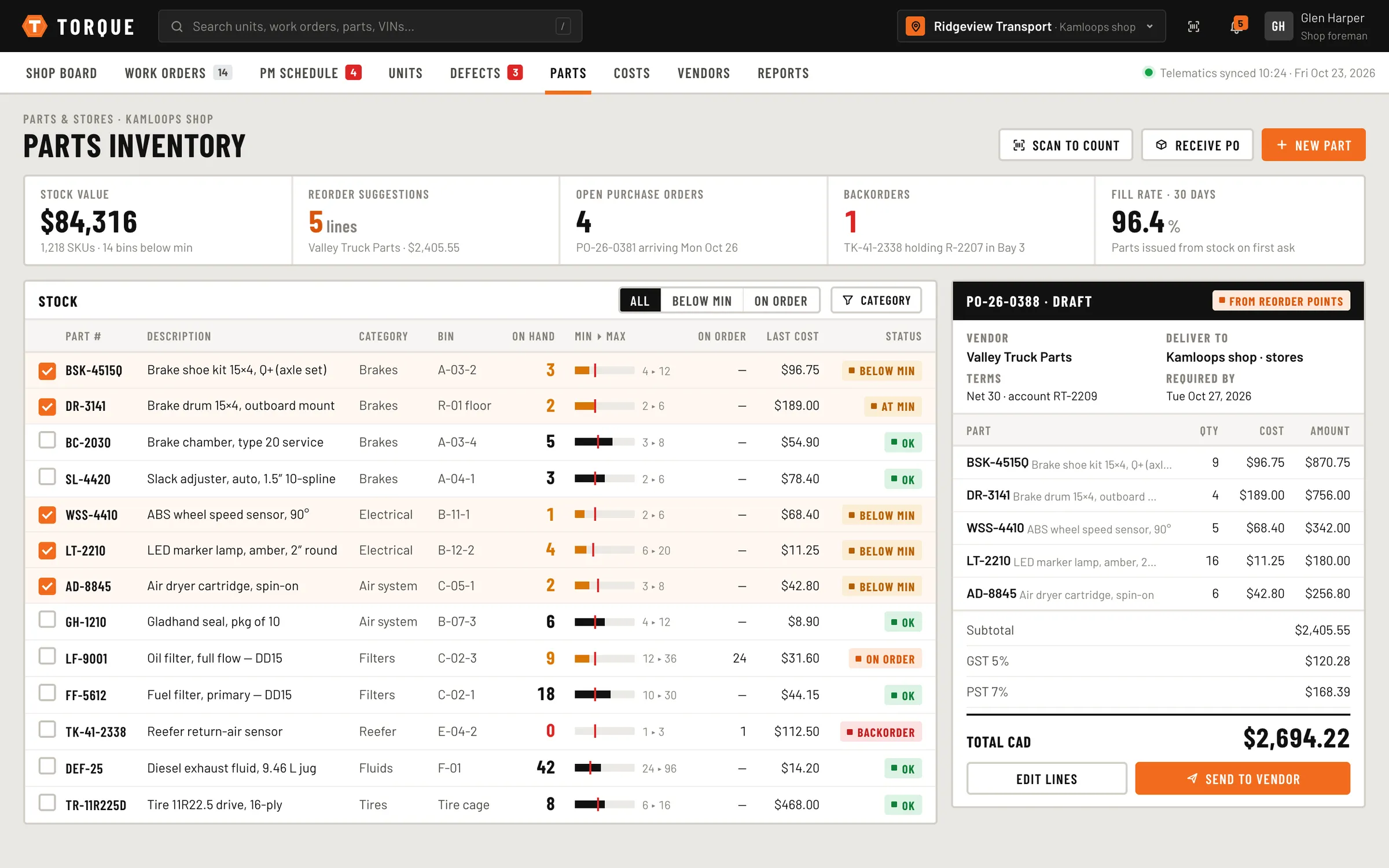
On-hand, min/max and bin locations, scan-to-count, backorder tracking, and reorder suggestions grouped into a draft PO per vendor.
Cost analytics
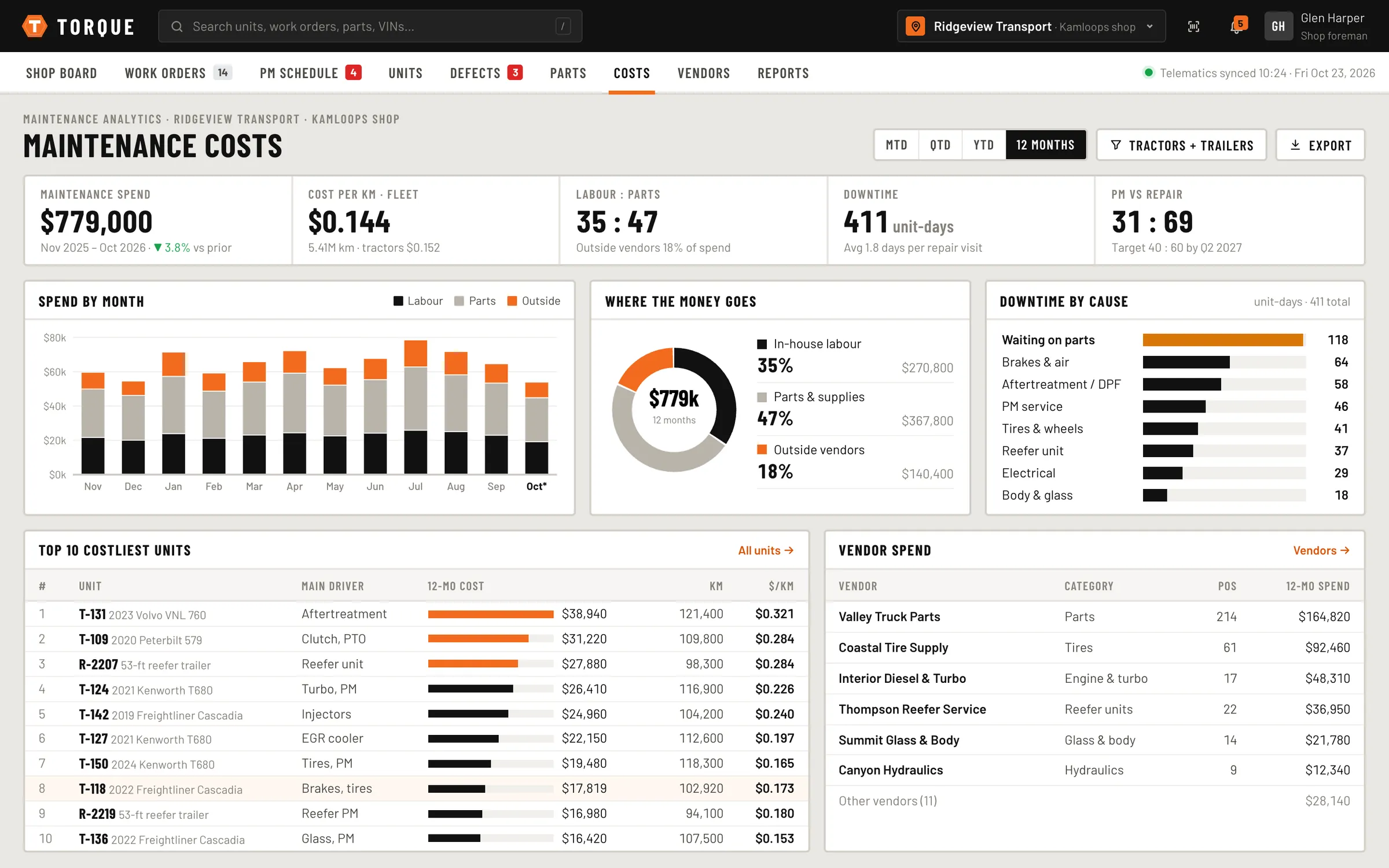
Cost per unit and per kilometre, labour vs parts vs outside vendors, downtime by cause, the costliest units and vendor spend.
Gallery
Every screen, up close.
Click any screenshot to open it full size — arrow keys step through.
Have something your business needs built?
Tell us about the process, the spreadsheet or the website that’s holding you back. We’ll come back with a plan, a timeline and a price.